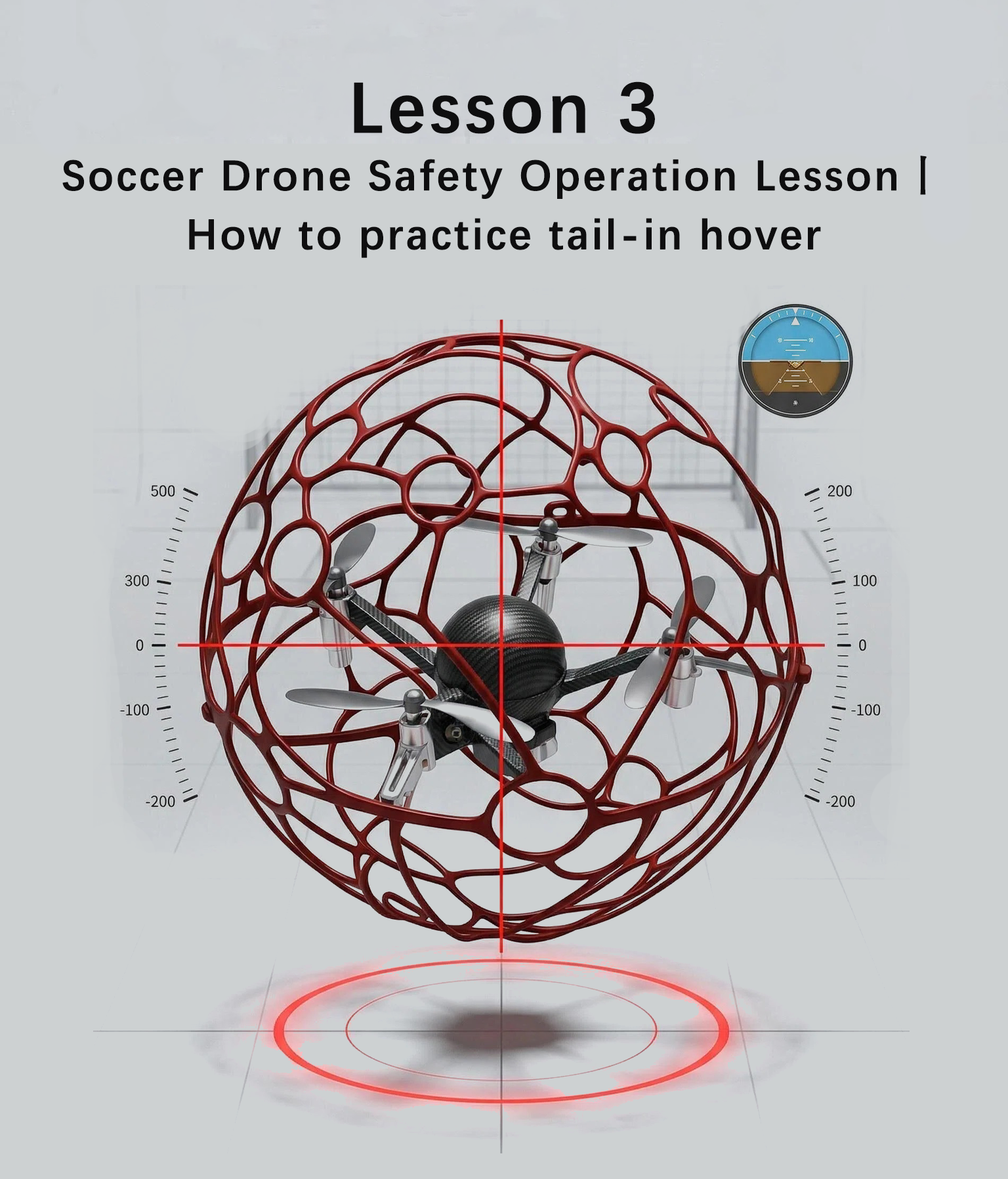
Tail-In Hover in Soccer Drone: How to Practice for Beginners
In the beginner training of soccer drones, there is a question that almost all students will encounter: Tail-in hover looks simple, but why does the drone always drift, tilt, or fluctuate up and down when I practice it myself? Some even panic as soon as they take control and can’t even stabilize the height?
Tail-in hover, although it seems like the most basic move, is the “stepping stone” to all flying actions—if you can’t master hover, straight flight, turns, and tactical movements are all empty talk. In this lesson, we will thoroughly explain the practice methods of tail-in hover, break down the core points of each step, and emphasize safety operations, allowing beginners to avoid pitfalls, practice stably, and quickly lay a solid foundation for flying.
1. How Important Is Tail-In Hover? A Must-Read for Beginners
Many beginners, when first coming into contact with soccer drones, always want to practice cool flying moves, but ignore tail-in hover, the “basic skill”.
In fact, the principle is very simple: Hover is like learning the basic stance of any sport—only if you stand steadily can you run fast and perform well. The same goes for soccer drones—tail-in hover is the foundation of all straight flight, turns, rectangular patterns, and figure-eight maneuvers. Mastering hover is more important than blindly practicing fancy moves, and it will also make your subsequent progress faster.
2. For Beginners Practicing Tail-In Hover: Remember These 2 Core Standards First
Before practicing hover, set standards first to avoid blind practice. For beginners practicing tail-in hover, remember these 2 points to avoid detours:
- Height Standard: Knee height (30-50 centimeters above the ground). This height is the safest and also convenient for beginners to observe the drone’s status and correct deviations in a timely manner.
- Attitude Standard: Keep the drone in a fixed position, without drifting, shaking, or fluctuating up and down—steadily “fixed” at one point.
Important Reminder: Don’t pursue “complete immobility”. The core of hover is “being able to correct in time”—if you see the drone drifting and can quickly fine-tune it back, that is a qualified basic hover.
3. Must-Read for Beginners: Step-by-Step Practice Method for Tail-In Hover (From Preparation to Actual Operation, One-Stop Guide)
1. Pre-Takeoff Preparation: Wrong Direction Makes All Practice Useless
Tail-in flight is the easiest direction for beginners to understand and the least likely to make mistakes, so hover practice must start with tail-in orientation.
Core Requirement: Before takeoff, make sure the tail of the drone is facing you! Otherwise, your control direction will be opposite to the drone’s flying direction, which is very likely to cause operational confusion and even collisions.
Small Tip: Place a takeoff pad or small reference object on the ground to quickly judge the direction of the drone’s tail and avoid visual deviations.
2. Altitude Control: Left Hand Is the Key, Practice “Gentle, Slow, and Steady”
When beginners practice hover, the most common problem is altitude control—either pushing the stick sharply to make the drone fly too high, or releasing the stick too quickly to make it crash. In fact, the core lies in the strength control of the left hand.
Practical Steps (Coach Demonstration + Student Practice):
- Push the left stick gently upward to slowly lift the drone off the ground; never push sharply to avoid the drone lifting off uncontrollably at high speed.
- When the drone rises to knee height, stabilize the left stick to keep the altitude constant, without fluctuations.
- Note: The drone must be more than 30 centimeters above the ground; otherwise, ground effect will occur, interfering with flight stability and leading to loss of control.
3. Position Fine-Tuning: Practice “Tap Movements” with the Right Hand, Avoid Large Movements
When the drone is hovering, it will inevitably drift due to air currents. At this time, the fine-tuning with the right hand is crucial—the most common mistake beginners make is slamming the stick when drifting occurs, which makes the drone even more unstable.
Core Fine-Tuning Skills (Memorize and Use):
- Drone drifts forward → Tap the right stick gently backward to fine-tune to the fixed point.
- Drone drifts left → Tap the right stick gently to the right to correct in time.
- Key Point: Only make “tap movements”, not large-scale pushes. React quickly with your fingers—correct immediately when you see the tendency to drift, don’t delay.
4. Two-Step Practice Method: Simulate First, Then Practice with Real Drone, Beginners Won’t Panic
Many beginners panic as soon as they take control of a real drone, leading to deformed movements. It is recommended to practice in this order to double the success rate:
- Simulation Practice (No Power On): Hold the remote controller, the coach manually moves the drone to simulate drifting, and students practice left-hand altitude control and right-hand tap fine-tuning to develop the habit of gentle operation and reduce nervousness during real drone operation.
- Real Drone Operation (Short-Term Attempt): Don’t pursue perfection in the first operation; being able to hover stably for 5 seconds is enough. Focus on practicing “not panicking, controlling altitude, and mastering fine-tuning”, feeling the drone’s delay and inertia, and proficiently coordinating both hands.
Small Reminder: When each student practices with the real drone, other students observe closely to learn from each other and remind each other, making progress faster.
4. Top Priority: Lock Button Operation (Must Practice for Beginners, Related to Safety)
Before practicing hover, you must first master the lock button operation—this is the most important safety skill to protect yourself, your teammates, and the equipment. 90% of beginners easily overlook it, so it must be focused on!
First, understand: The function of the lock button is equivalent to putting a “safety lock” on the drone. After locking, no matter how you operate the stick, you cannot start the motor. It can quickly stop the drone’s movement in emergency situations.
Safety Training Methods for Beginners (Not a Single Step Can Be Missed):
- Coach Demonstration: Clearly point out the position of the lock button on the remote controller (slightly different for different brands), clearly demonstrate the “lock” and “unlock” actions, and emphasize that “the action must be fast, accurate, and steady”.
- Repeated Practice: Follow the coach to practice repeatedly according to the process of “Lock → Unlock → Lock Again”. The coach patrols the scene to correct wrong operations.
- Command Training: The coach randomly calls out commands: “Lock!”, “Unlock!”, and students must execute immediately upon hearing the command—no hesitation, no looking for the button, to develop muscle memory.
- Safety Reminder: If the drone suddenly accelerates, drifts, rolls, or has other abnormalities, press the lock button first. It is safer than forcing to adjust the stick and can quickly stop the propellers from rotating.
5. Summary: For Beginners Practicing Hover, Remember These 3 Sentences
1. Unsolid Foundation Will Hinder Progress: Tail-in hover is the foundation of all flying actions. Practicing 5-10 minutes every day is more useful than blindly practicing complex moves.
2. Control Core: Left hand controls altitude (gentle, slow, steady), right hand does fine-tuning (light taps)—don’t push sharply, don’t panic.
3. Safety First: The lock button should be practiced into muscle memory. In case of emergency, lock first, then handle, to avoid accidents.
In the future, we will continue to explain advanced content such as straight flight, turning skills, and tactical movements. Learn systematically with the course, and you can also quickly grow from a beginner to a professional soccer drone pilot.